

Coordination dashboard
- dashboards
- agents
- n8n
- databases
For years, I’ve been customizing my work tools. The goal isn’t to save time, but to waste less of it: fewer clicks to find useful information, fewer tools, and tools that respond faster. Digging through subfolders to find a document takes a few seconds. It’s trivial, but repeated thousands of times a year, it ends up adding up.
My priority: having the relevant information in front of me when it’s time to decide and act. Just like for an agent, really: the right context at the right time.
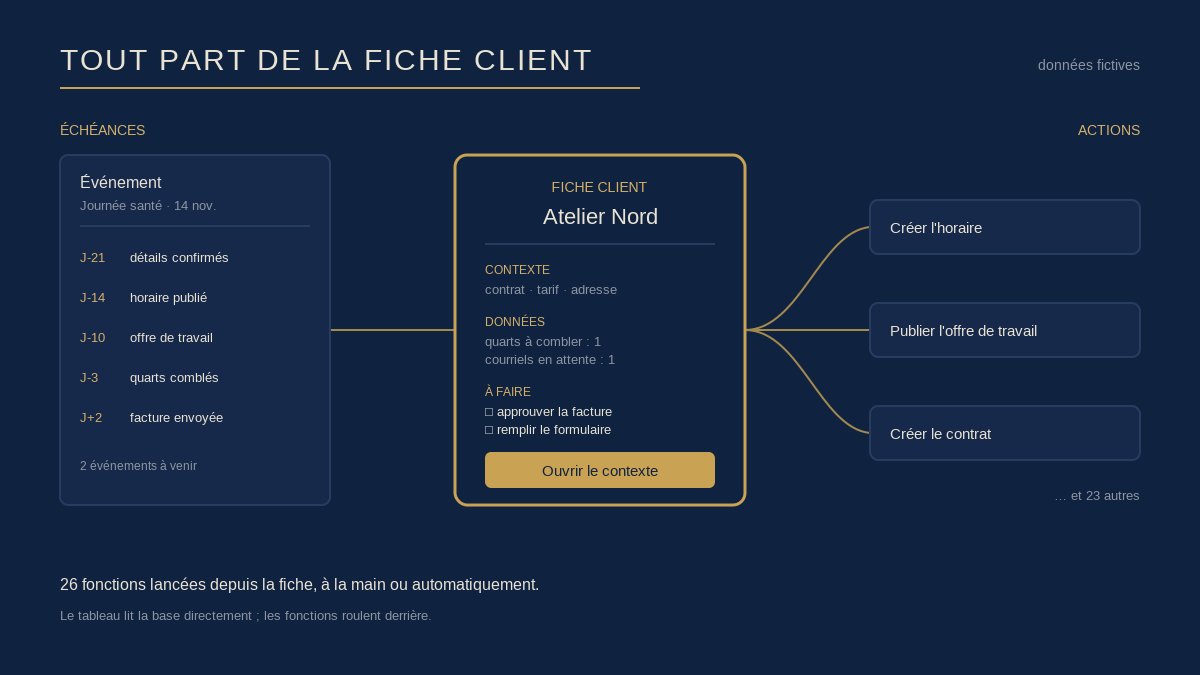
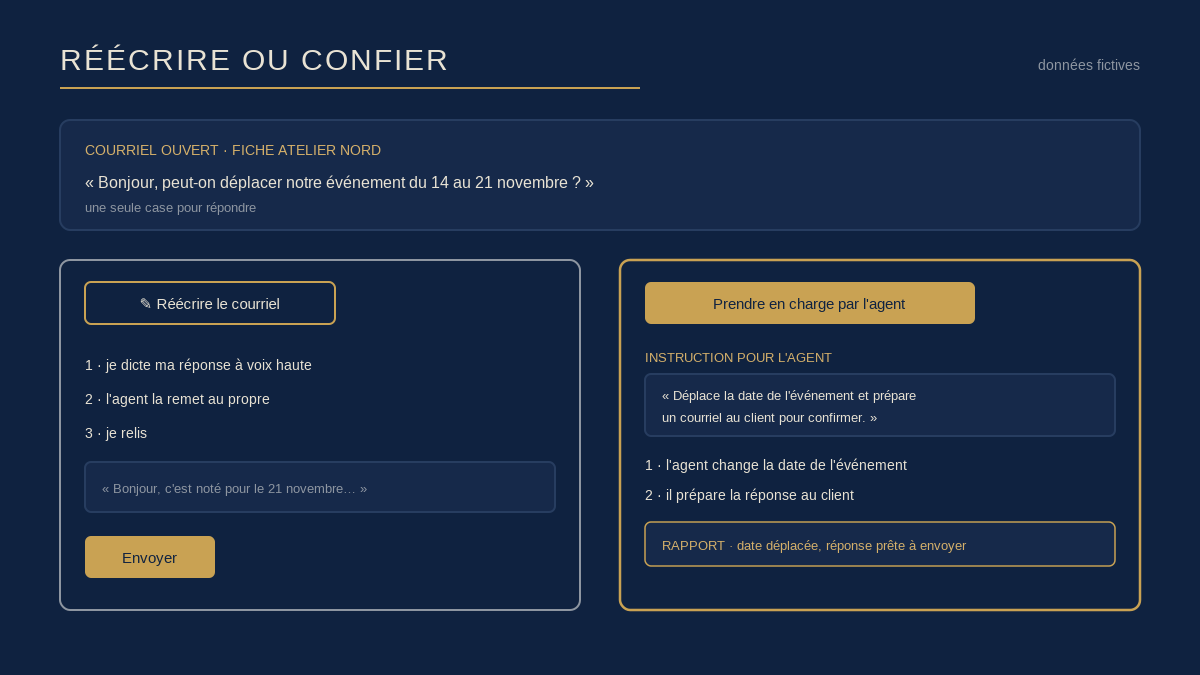
So I built a custom coordination dashboard. Everything starts from the client record. In one place, I can:
- launch the functions I need: create an invoice, detail an event, assign shifts to the right people;
- receive their feedback once they’re done;
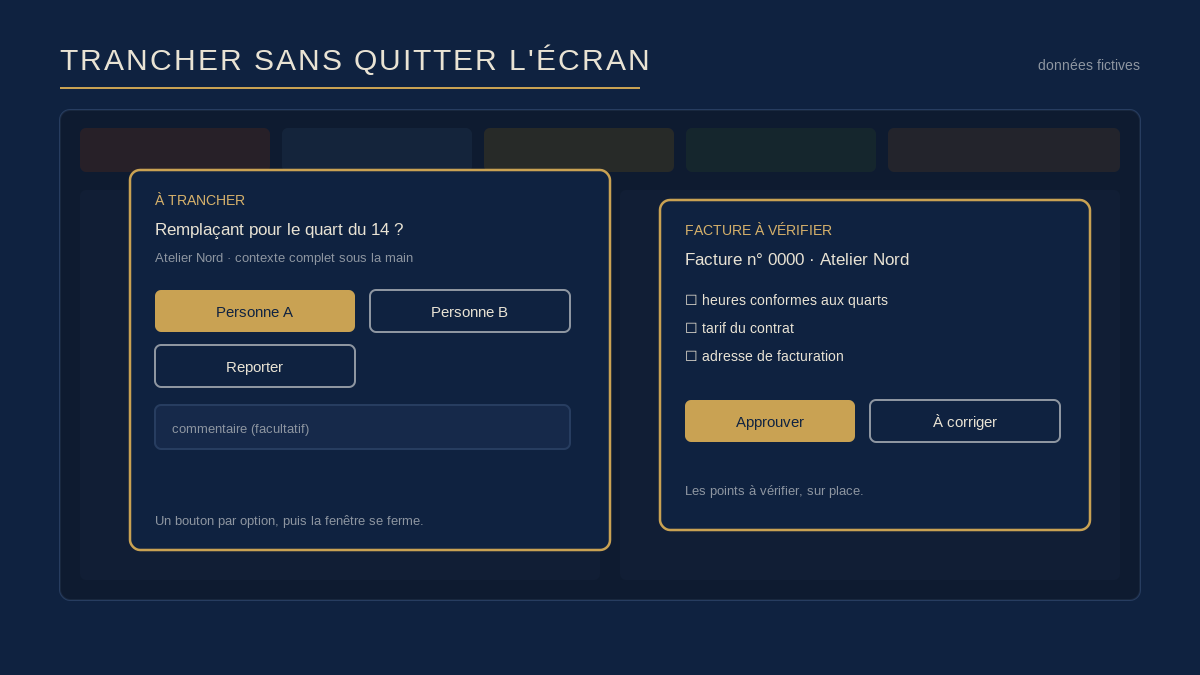
- approve the decisions that automated systems submit to me (human in the loop), to unblock them;
- fill out forms in a single area, without opening another tool.
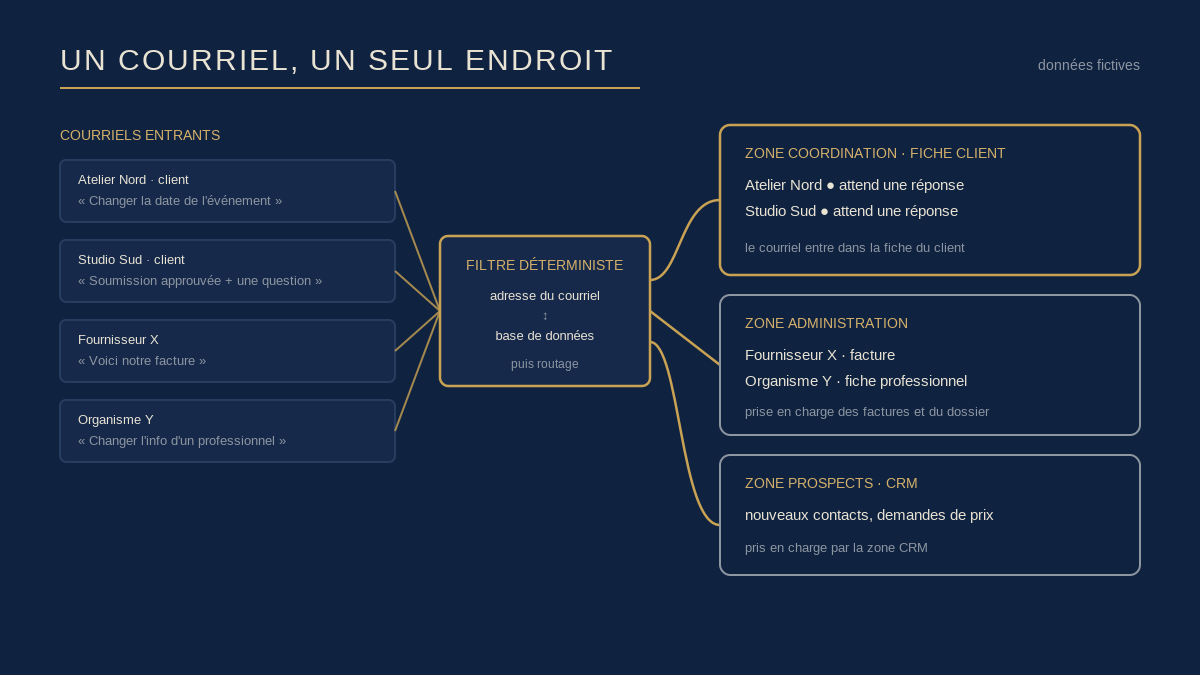
A client’s emails land directly in their record. When they write to me, I already have the information and the tools to decide, without digging through my inbox and then the client record. Centralizing means wasting less time. To learn more: zone-based email management.
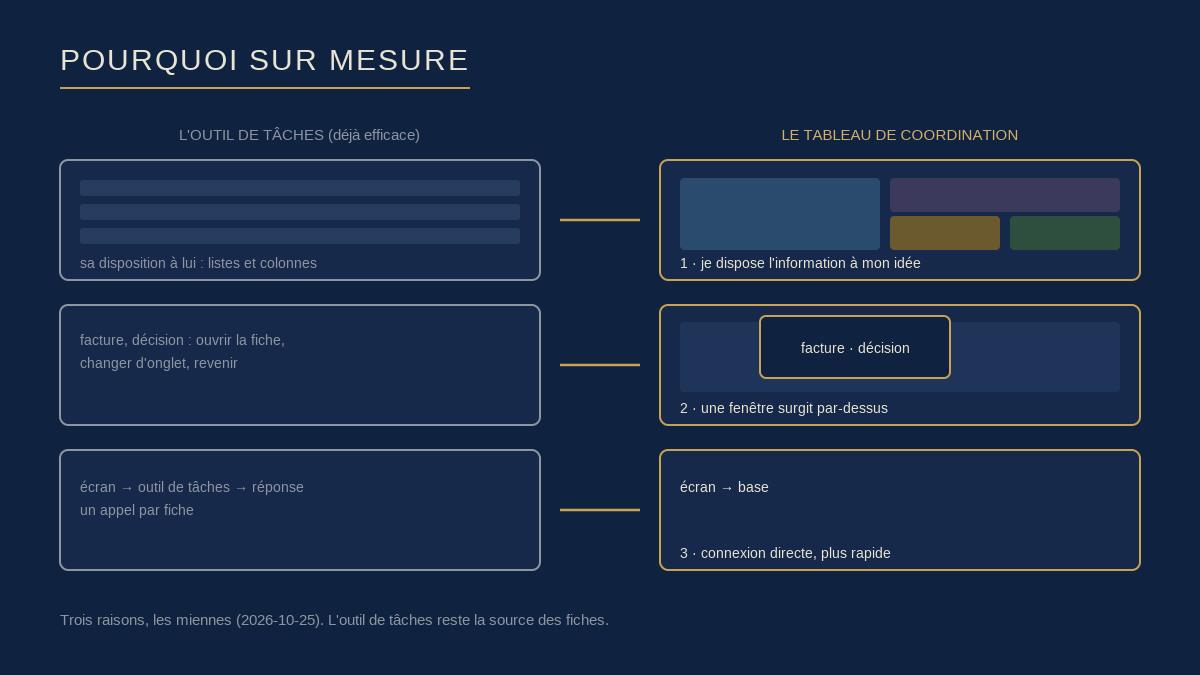
Why custom-built. ClickUp, my project management tool for years, is effective, but it’s hard to customize on three points:
- Layout. I place information wherever I want on the screen.
- Pop-up windows. An invoice to check or a decision to make opens over the dashboard.
- The database. The dashboard reads the database directly, faster than going through ClickUp.
What about you: how many clicks do your work tools ask of you?